Development of Snack Chads

Snack Chads is out in public, and now it's time to talk about all the lessons learned during its development. This one was TOUGH, so let's dig in!
So why is the chad a snack?
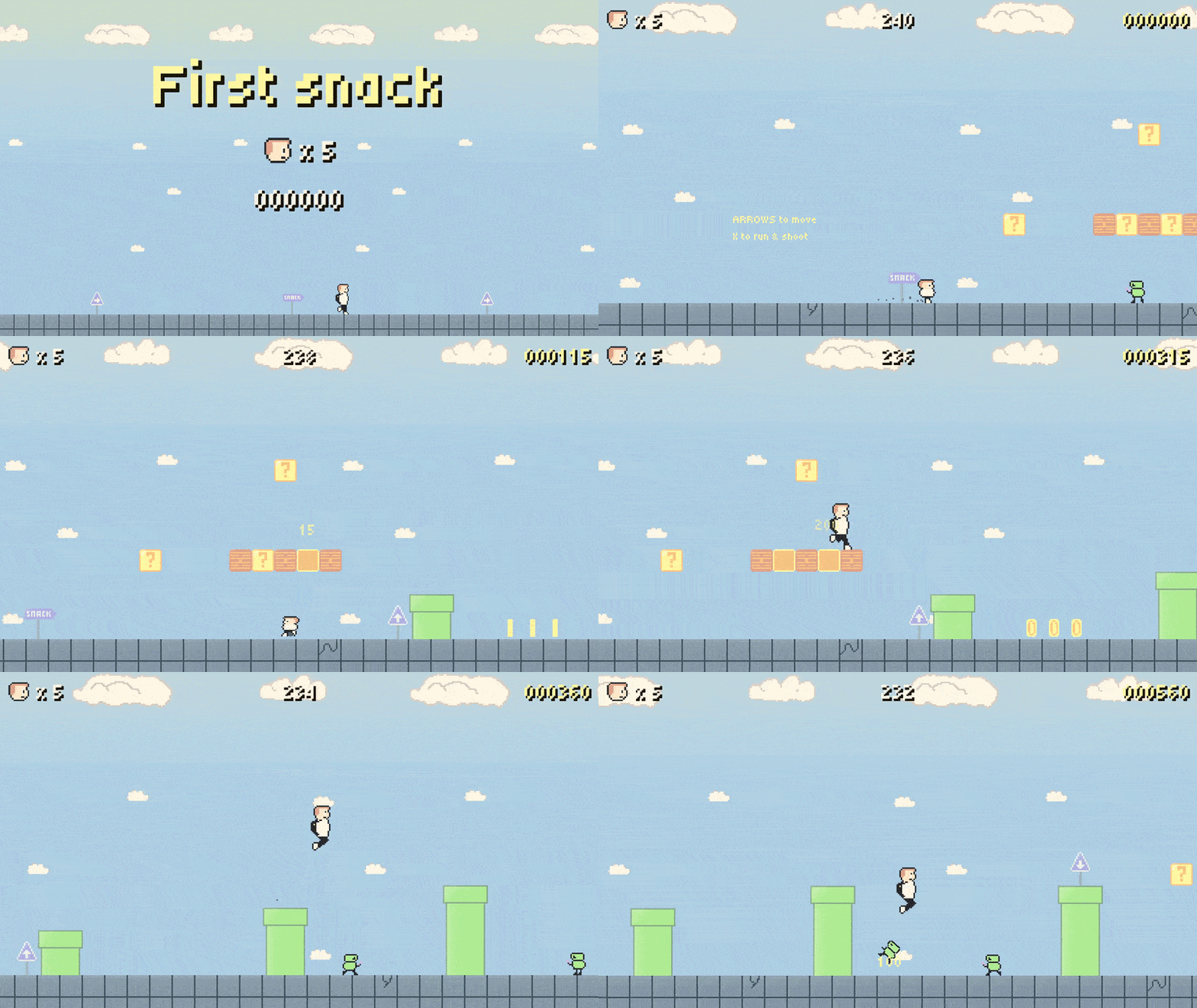
Well, I wouldn't say the chad is a snack, it's more about the walk that I do on a daily basis from my home to a convenience store, to get a snack. This walk usually is a little bit on the longer side to make sure I get some movement in every day. 😉
When I was thinking about what to theme this game after, this kind of popped into my head immediately. I mean, it's perfect: you have a person walking to a goal, you have various obstacles and twists and turns in between. And I thought, why not turn it into the theme of this game?
A deeper look
Starting from here, I'll be trying to explain my understandings of various concepts I have learned while developing Snack Chads.
As always, please note that my understanding may not, and most likely is not, 100% correct.
Composition vs inheritance
So this is something I discovered actually quite late in development, but it's something I want to talk about first, because I realized (during that later phase) how useful composition actually is. I don't know if it's game development in general, or maybe it's just the Godot engine itself that is so very handy with it, but composition was my savior, and from now on, I am going to use it so much more often than inheritance, if I can. Here's my explanation, and thus understanding, of inheritance & composition:
Inheritance
So, first of all, for those who do not know, inheritance in layman's terms is like defining what a vehicle is. A vehicle can drive, it can brake, its wheels are rolling, it usually has a person sitting in it, etc. Inheriting that vehicle, that would mean that you'd specify a sub vehicle like: a car, a bus, a bike,... They all can do those exact same things, but maybe a little bit differently, or perhaps in a more special way where you can then each define its specific behavior.
I have been using inheritance for every game up until this point. An example would be in Problem-Man, I would create a base class called "Enemy" and let this enemy move in four directions and know where the player is at all times. Then I would inherit that base class, and call it the Red Ghost, the Blue Ghost, etc.
One problem with inheritance is that you lock yourself to the base class, and I have noticed frequently that by making these games, the base class really can get quite split up. At that point, inheritance makes things more difficult because then you still have to be bound to the rules of that base class without the flexibility of being able to adjust it the way you want to.
Note: When talking about inheritance, we're talking about our own classes and logic, NOT built-in classes of the Godot engine.
I had made an Enemy class, that would then be inherited by another class, yet from there I had to inherit again, and the logic quickly spread too thin.
class_name Enemy
extends CharacterBody2D

@export_group("Debug")
@export var debug_enabled := false

@onready var visible_on_screen_enabler_2d: VisibleOnScreenEnabler2D = $VisibleOnScreenEnabler2D


func pause() -> void:
	pass


func resume() -> void:
	pass
class_name WalkingEnemy
# Inherits the class above, because it also inherits the Enemy scene,
# yet that's kind of useless due to every enemy being a walking enemy.
# Despite that, the logic is now here and will make it more complex
# in the long run.
extends Enemy
Why would this specific non-pushable enemy want to know whether it can be pushed?
— Me, as I realized I trapped myself with inheritance
Composition
Now, from what I've learned and understood, composition kind of goes against that and says, "Let's just make a class, a base definition". Then, instead of inheriting the code and readjusting it every single time, why not just make it a plug and play system where you make separate little classes where each one does its own thing and can be attached to the base class? Makes it easier to expand upon it.
This way, instead of forcing myself to have to reuse some logic I made for a base class of the player that perhaps just doesn't really come into play with the player I'm working on right now, I could just make a little class that specifically says, "I am responsible for being invincible, and that's all I will communicate". This concept worked very well for stuff like invincibility, flickering, game juice, ...
If you're reading this, I highly recommend that you research composition vs. inheritance before you go in too deep, because it really does make the project easier to develop. It made the game so much more flexible, readable, and scalable.
Now, the enemy isn't actually using components due to my late discovery, but let's just say that instead of directly programming the push logic (player pushing a bike) into the enemy class, I could have made a PushableComponent that would handle that.
Let's use the player as an example. Here's a screenshot of the player's scene, notice the chaos of nodes versus the two components:
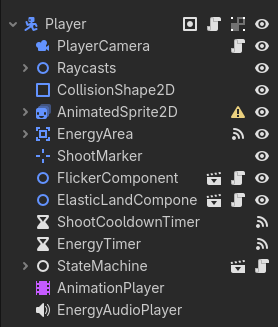
And here's what one of those components looks like in code:
class_name FlickerComponent
extends Node2D

const DEFAULT_FLICKER_DURATION := 1.5

@export_group("Properties")
@export var flicker_target: Node2D
@export var flicker_duration := DEFAULT_FLICKER_DURATION

var _flicker_tween: Tween


func _ready() -> void:
  flicker_target.show()


func flicker(duration := flicker_duration) -> void:
  if is_flickering():
    _flicker_tween.kill()

  _flicker_tween = create_tween().set_loops()
  _flicker_tween.tween_property(flicker_target, "visible", false, 0.075)
  _flicker_tween.tween_property(flicker_target, "visible", true, 0.075)
  await get_tree().create_timer(duration).timeout
  _flicker_tween.kill()
  flicker_target.show()


func is_flickering() -> bool:
  return _flicker_tween and _flicker_tween.is_valid() and _flicker_tween.is_running()
The flicker component is attached to the player, and is given a flicker target. It could be anything, but mostly it was the sprite of the player. Then a tween simply toggles the visibility of that target every few moments infinitely until the total duration is over, and the entire loop ends with the target being shown permanently again.
This way I can very easily make literally any object in the game flicker as soon as I attach this component to that object, and define a target. Pretty cool, huh? 😄
Does that mean I will no longer use inheritance? Absolutely not. Inheritance is still amazing, as long as it is used properly. From now on, I will try to be more cautious and smart about when to use inheritance, and I will probably lean more towards composition when it comes to writing separate & independent logic.
The advanced player controller
The player controller is by far the most advanced one I've made out of the six games so far.
From a state machine, to various behaviors based on upgrades. The player's abilities, reactions, or inputs are very different based on the state they're in. Are you in the air? Then you're not able to interact with pipes. Are you going off of a ledge just now? Then you're able to jump in coyote time,...
The player's states are:
- Air: Always active when player is in the air, regardless of how.
- Idle: When player is not moving at all.
- Walk: When the player is walking, and not running (not holding X on keyboard).
- Run: When the player is walking and running (holding X on keyboard).
- Immobile: When the controls are out of the player's control.
Lots of time went into making the player fun and easy to control. I'm talking about fluidity of movement, jumping, moving in the air, ... Now, diving into every state and all the logic would take way too much time and is not fit for a blog post, but let's dive into the player's main script first, and then into one of the states.
The player's main script
This script actually became quite large at the end, around 400 lines, which I personally think is way too many. I think partially that would have been solved by using components (see composition) earlier on in development. Without it, the script turned into one giant, almost unreadable file of logic and processing.
That being said, it works and it does the job as well as I could make it for now. I encourage you to take a look at it yourself, because the game is open-source, like every game I make after all.
This script's fun attributes:
- A lot of exports
- Limits the movement and camera of the player
- Processing of damage taking, shooting, ...
- Calling animations, keeping time of boosts, and being the source of truth for conditions inside states
- Handling of interactions
- ...
So, as you probably can tell, this code is doing a lot for a singular script for the player.
If I split up this code into multiple segments and components, it would have been much more readable, and probably more efficient, too. I'm pretty sure there are a lot of bugs or inefficient code that really does not have to be in there.
If there's something I am confident should not belong in game development, it is issues that could have been avoided with patience (and experience, so I'm forgiven 😉).
I must be patient!!!
— Me, probably
Otherwise, you end up with a script like mine. Lots and lots of code that isn't necessarily related to each other, and a lot of mental fog as you try to read through all of it.
The air state
This state's code is 225 lines long, but I think it's still within a healthy boundary.
The air state's biggest responsibilities are jumping, handling air movement, and handling airborne collisions. It can also accept properties through an object to use in its _enter() function.
Jumping
Jumping consists of three parts.
A simple jump
func _enter(data := { }) -> void:
  if data.has("jump"):
    var is_running := data.has("is_running")
    _jump(is_running)

# Simply apply velocity depending if running or not.
func _jump(is_running := false) -> void:
  if is_running:
    player.velocity.y = -player.jump_running_force
  else:
    player.velocity.y = -player.jump_force
Coyote time
func _enter(data := { }) -> void:
  if data.has("coyote") and data.coyote:
    _enable_coyote()

# Player is still able to jump during this time, even if in air.
func _enable_coyote() -> void:
  _coyote = true
  coyote_timer.start(player.coyote_time)

func _disable_coyote() -> void:
  if not _coyote:
    return

  _coyote = false
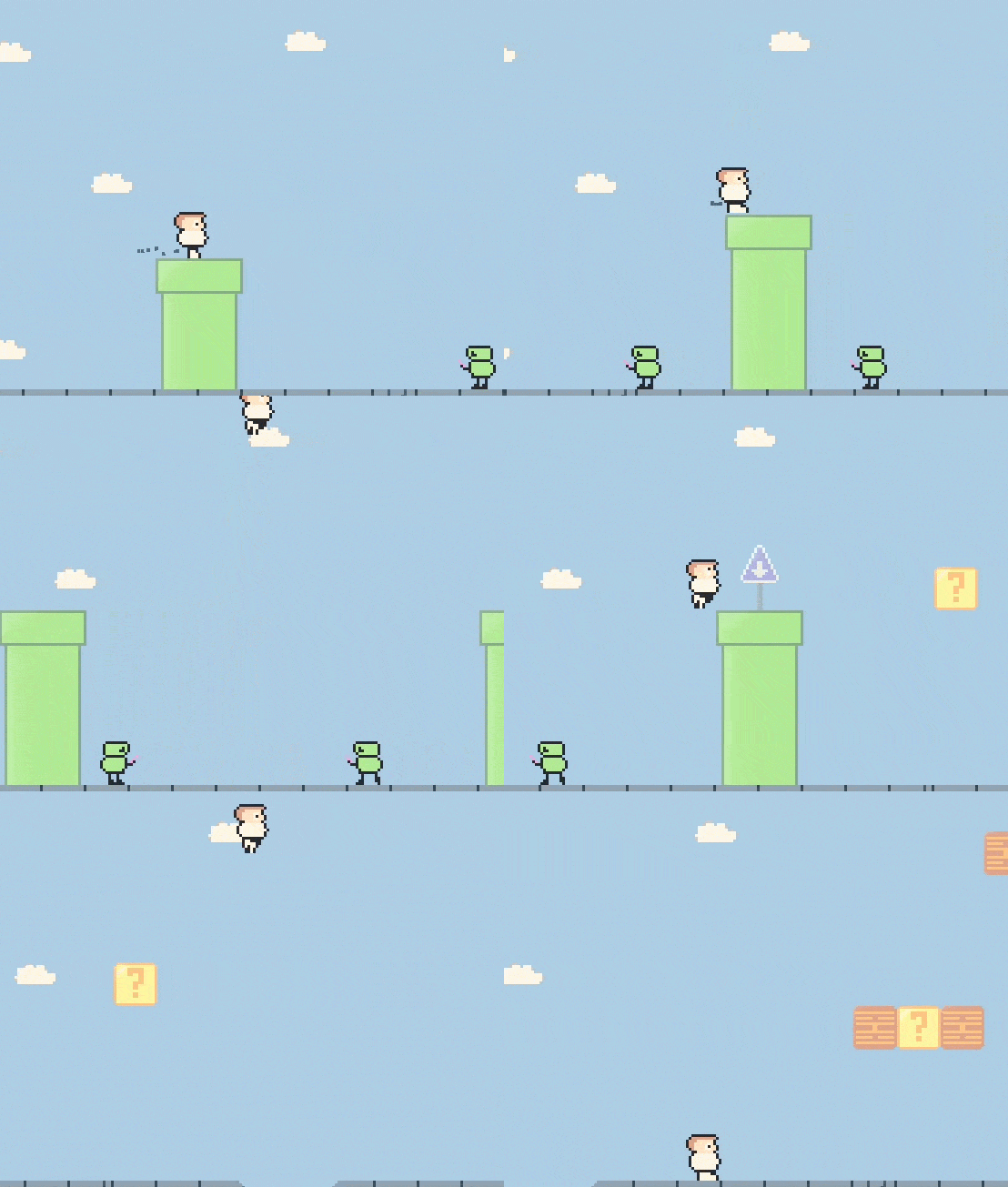
Jump buffering using RayCast2D
# If raycasts are hitting the ground before landing and player pressed jump
# Jump immediately after landing
func _check_jump_on_land() -> void:
  var is_colliding := func is_colliding(ray_cast: RayCast2D): return ray_cast.is_colliding()
  var is_close_to_floor := player.jump_buffer_ray_casts.any(is_colliding)
  var is_falling := player.velocity.y > 0

  if Input.is_action_just_pressed("jump") and is_close_to_floor and is_falling:
    _set_jump_on_land(true)
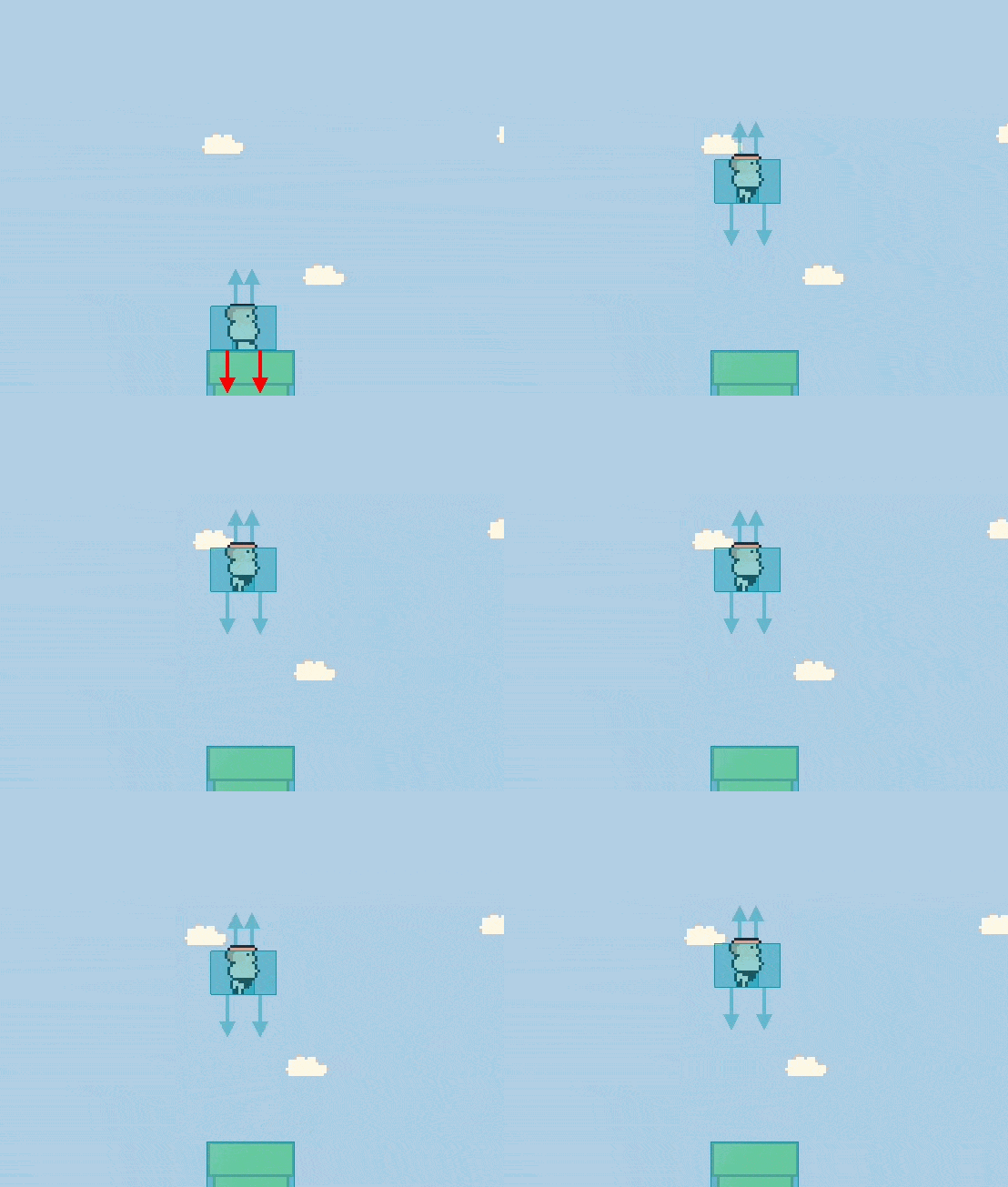
Handling air movement
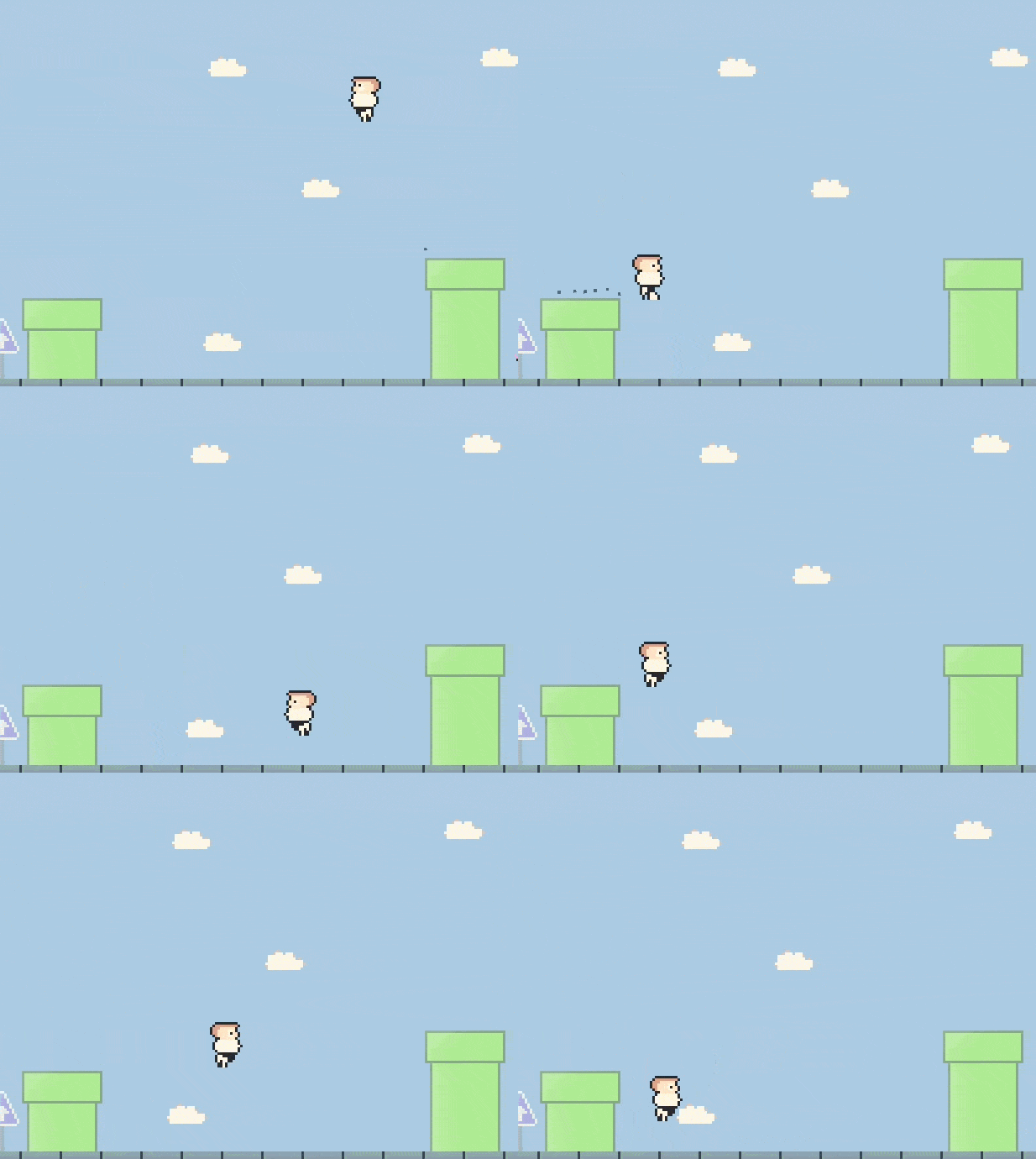
While in air, the player must be able to control where they are going, whether that's to speed up, slow down, or just aim precisely to land on a block.
func _process_air_movement() -> void:
  var direction := player.get_direction()
  if is_zero_approx(direction):
    player.velocity.x = lerpf(player.velocity.x, 0, player.air_movement_weight)
    return

  var moving := Input.is_action_pressed("left") or Input.is_action_pressed("right")
  var running := Input.is_action_pressed("interact")
  if moving:
    if running:
      var running_air_speed := player.run_speed * direction
      player.velocity.x = lerpf(player.velocity.x, running_air_speed, player.air_movement_weight)
      return

    var walking_air_speed := player.walk_speed * direction
    player.velocity.x = lerpf(player.velocity.x, walking_air_speed, player.air_movement_weight)
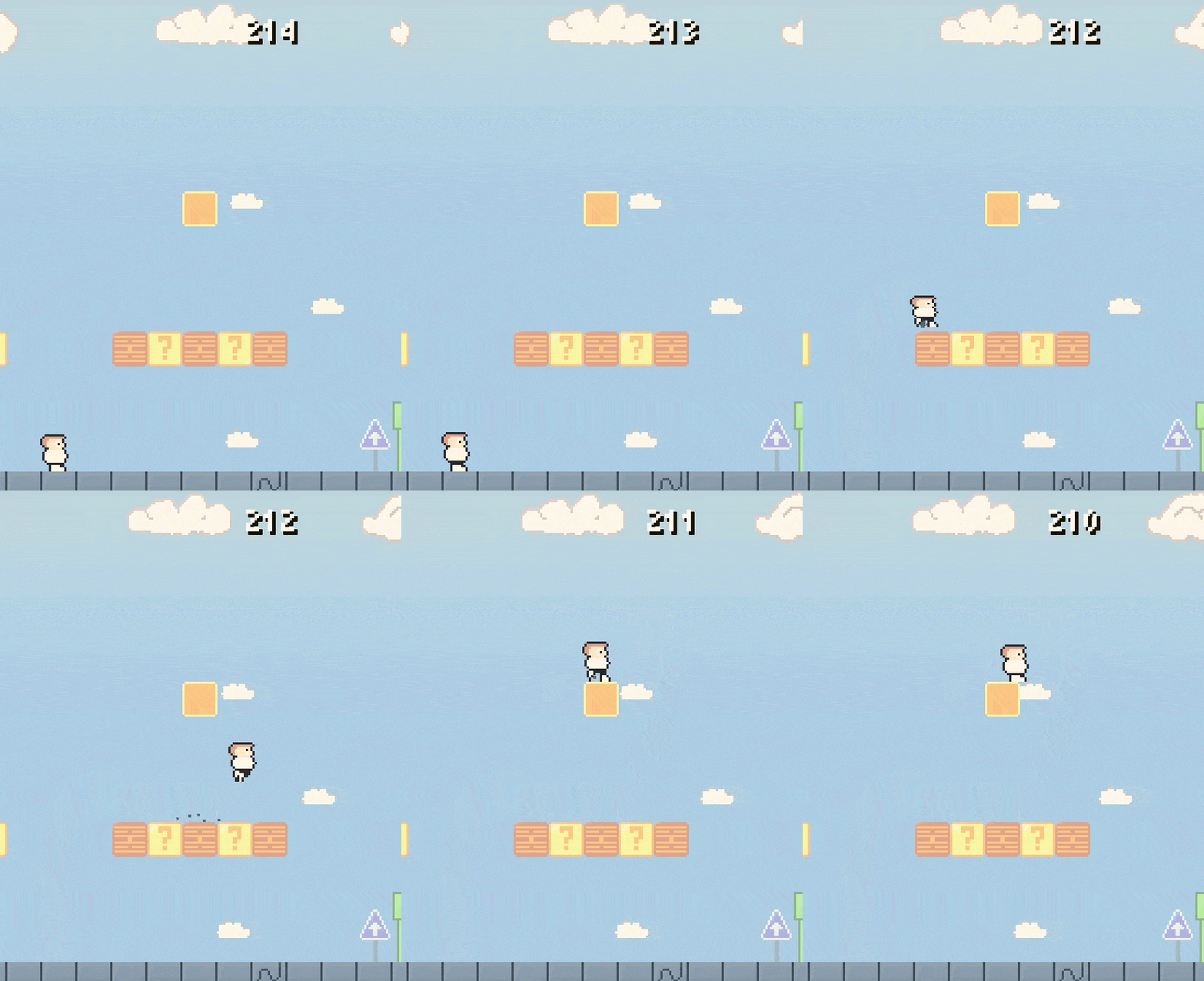
These lines is all it takes to have some decently smooth movement while in the air!
Handling air collisions
While in air, the player obviously will collide with possibly many things at once. Most importantly was to figure out how to make the player bump blocks, and how to make sure that they are only bumped when they are actually hit, and how do bump two of them if the player's between two blocks.
For that, I used raycasts, to see whether they both detect a block, and if the player's head touched a block, while both raycasts detect a collision, we bump both.
func _check_block_hits(normal: Vector2) -> void:
  var is_under_block := Vector2.DOWN.dot(normal) > 0.1
  if not is_under_block:
    return

  for hit_ray_cast in player.hit_raycasts:
    if not hit_ray_cast.is_colliding():
      continue

    var collider: Block = hit_ray_cast.get_collider()
    if player.can_destroy_blocks():
      collider.hit()
      player.player_camera.screen_shake(PlayerCamera.SMALL_INTENSITY, \
        PlayerCamera.SHORT_LENGTH)
      continue

    collider.bump()
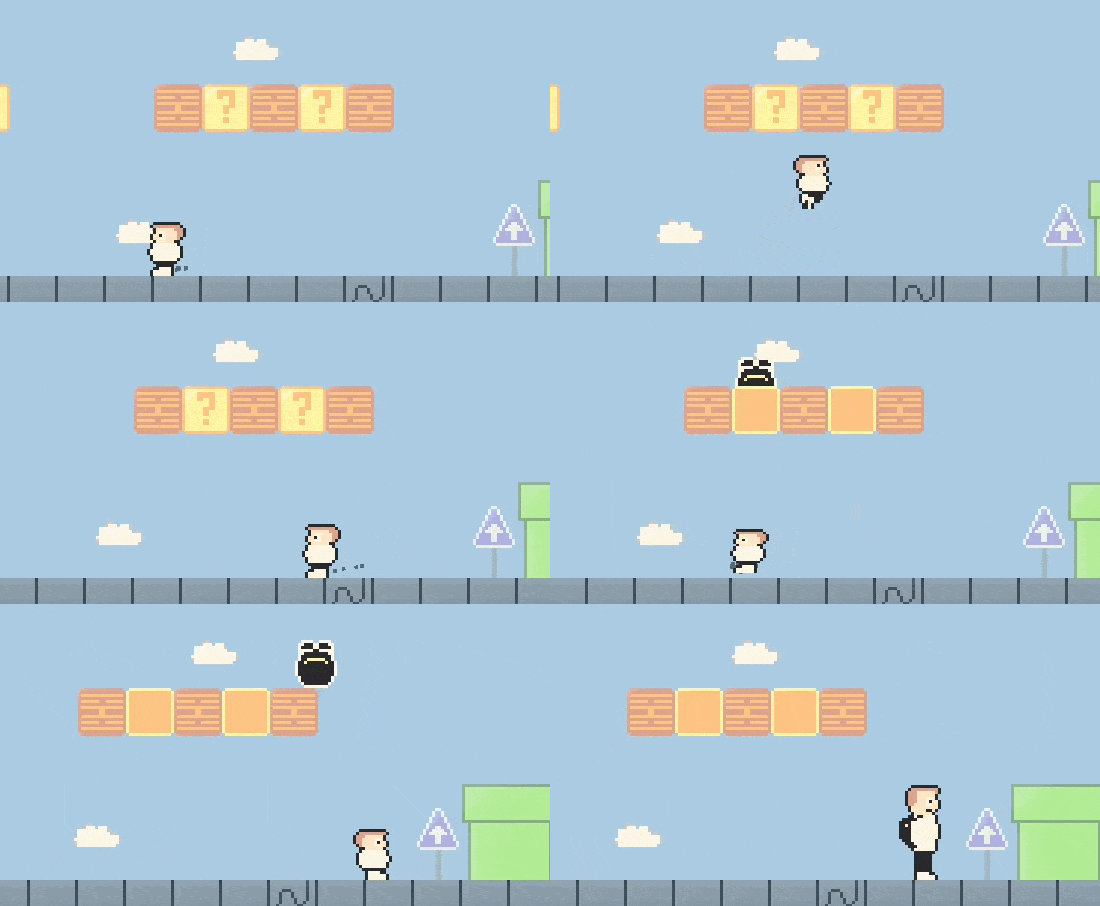
Note: That's not all when it comes to the player air state, but I believe this are the most important concepts, explained quickly. Going far in-depth is a little out of scope for this blog post. 😄
Game juice
For this game's juice I tried to be a little more sneaky, and tried to work with "less is more". I watched this excellent video by Coding Quests that quickly looked at some easy to apply game juice aspects to a 2D platformer. Naturally, I yoinked some of it without hesitation.
Part of it is coyote time and jump buffering, we covered that above in the air state. There's more to this aspect, though! I will show each, alongside a slowed down demonstration if possible.
Movement interpolation
The player's movement felt very stiff, you press an arrow and the character immediately starts moving at full speed, this was not only annoying, but also felt very primitive. So I added some interpolation to all of the player's movement.
Here's an example of the player switching from walking speed to running speed:
# Increase X velocity to target, in exported weight (more = faster)
func _process_run_movement() -> void:
  player.velocity.x = lerpf(player.velocity.x, player.run_speed * direction, player.run_accel)
Squishy player
So this one was actually super easy to implement and it really added a lot to the experience. It's a simple matter of "squishing" the player's sprite upon landing, which gives a slight oomph to it all. I made it a component so it was re-usable for not just the player.
Here's the code I used for it:
extends Node2D

const DEFAULT_ELASTIC_SCALE := Vector2(1, 0.8)

@export_group("Properties")
@export var elastic_target: AnimatedSprite2D


func _ready() -> void:
  elastic_target.scale = Vector2.ONE


func use(use_scale := DEFAULT_ELASTIC_SCALE) -> void:
  elastic_target.scale = use_scale
  var tween := create_tween().set_trans(Tween.TRANS_ELASTIC)
  tween.tween_property(elastic_target, "scale", Vector2.ONE, 0.2)
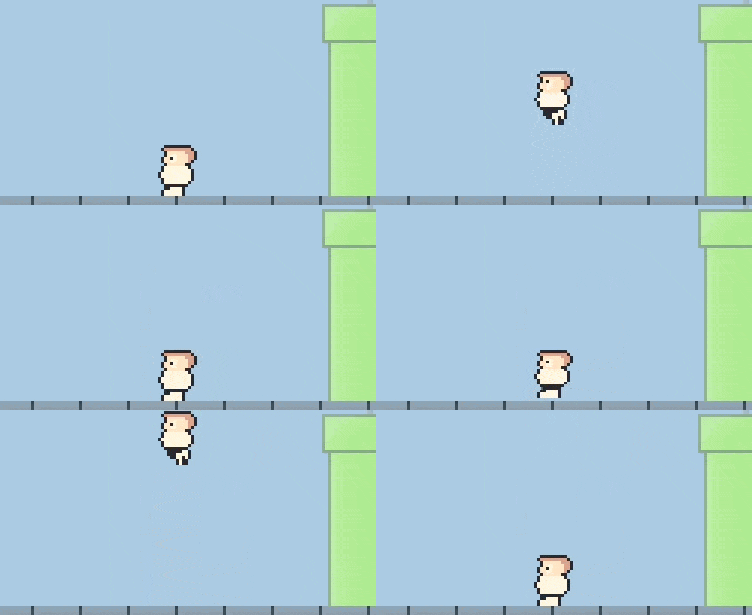
Particles on landing
Another simple yet effective addition is to play some particles on the ground. Another way to give more strength to the entire landing feeling.
The particles are one-shot, and emitted every time the player lands on the floor.
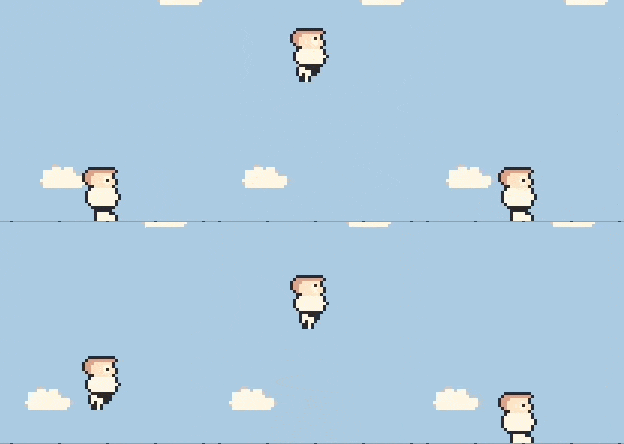
Screen shake
When the player is falling at a high enough speed, the landing will produce a small screen shake. The screen shakes not just at landing, but this was easiest to show. This is not a new functionality to me, as I have already implemented it in Cheese Chasers, but it is improved due to the use of Noise.
Inspired by an excellent tutorial by Jason McCollum.
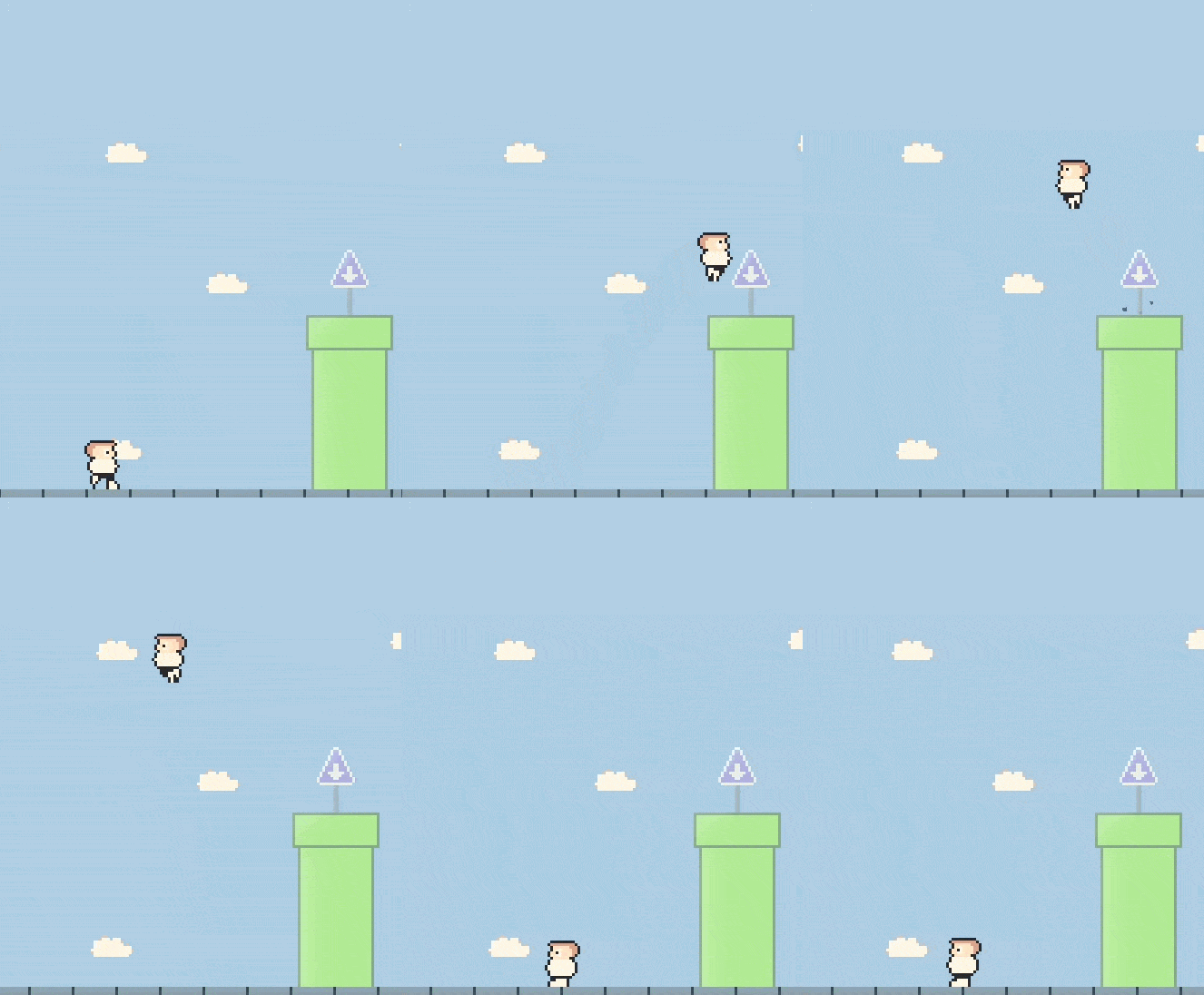
The struggles
I must admit that generally, I think this game wasn't the most difficult to create. I found myself constantly re-using knowledge built from previous games, and I struggle (😄) to find really major pain points that I experienced with this game.
Moving into an apartment
So by far, the biggest struggle of all was that I was making a big move in my life in the middle of creating this little game. This delayed me quite a few weeks from continuing to work on it, as I was heavily focused on well.. the moving part. It's not just moving either, it's adapting to a new environment, finding my groove, and being able to feel at home here. That took some time.
That being said, this longer break did feel needed. As I had been non-stop creating and learning game development for five months straight, and the break undoubtedly did good for my mental health, and my motivation to continue this journey. Even creating such small games, the future and knowing how difficult this hobby can be, really is daunting sometimes. So the break really allowed me to break free from those negative feelings, and remember why I began doing this in the first place.
Better art
I think I'm okay at making simple pixel art, but this time I really wanted it to look just a little bit better. So I tried to apply some shading to all the sprites, and it's not the best, and it keeps being a huge struggle for me. While it's definitely an improvement over static, non-shaded sprites, it's still a long way for me to go, to make my games look better than static and flat.
The way I tried to shade my art is by simply using the same color of higher lightness (the L in HSL) on the top-left edges of the art. Slowly diminishing to the normal lightness as it went deeper.
 |  |
|---|---|
| Flag pole | Surprise block |
Scope
While I really like what I've done, and how fun this game feels to play, I clearly over-scoped. The theme itself was not the problem, but my need to perfect everything early-on caused more issues later down the line than necessary. I also tried to keep everything bug-free, way too early on. Only for it all to end up not being bug-free at all! Not to mention the boy scout work (distraction by finding new bugs to fix or improvements to implement)...
The biggest amount of work was fixing the issues caused by inheriting inherited scenes, as well as early bug-fixing that turned out to actually just cause more bugs later on.
Sound
In the previous development post, I promised to myself, and to you, that I would put more focus on sound effects. This did not work out, at all. Due to the already (and unexpectedly) long development time, I decided to not dive deep into making sound effects, and instead resorted to some free assets.
Creating sounds will most likely be the most difficult part of indie game development for me. I can see that now. 😭
This does not mean that I will not try, but I will also give myself a little bit more mercy when it comes to this particular aspect of creating games.
Future
As always, the future is looking bright. My experience is absolutely growing, my skills are slowly improving, and my knowledge of game development, game design, and the Godot game engine is becoming a larger and larger book with every game.
I am looking forward to creating more, keeping everyone updated on my journey, and to get started on game #7.
Game #7
This game will be a Worms clone, it will be the last 2D game of this entire challenge, so this is my last chance to make my 2D experience as polished as possible. With that in mind, I will truly try to make the last 2D game as juicy as I know how to make, and as complete as it should be. Meaning I want this game to truly be replayable, and unique with every turn.
I expect to make a couple of levels, a few different weapons, and perhaps I'll try to make some kind of level generator! Who knows!!
Lessons learned
There's a lot more I could tell you about what I've learned through the making of this game, but I feel like this blog post is already quite lengthy. Also, I'd really like to start working on the next game. 😂
A small technical recap:
- Composition knowledge established
- Inheritance to be used more carefully
- Split up large scripts into independent parts
- Game juiciness
- Some simple pixel art shading
- Overscoping issues
- ... So much more
Give Snack Chads a try on itch.io and let me know what you think!
As always, I sincerely hope my journey can bring you some value on your own.
Thanks for reading! ❤️
I want to read more!
It'd be my honor.
- Snack Chads released!: Give Snack Chads a try on itch.io!
- Development of "Problem-Man": An in-depth look at the development of my previous game.
- Development of "Cheese Chasers": Where I first dug into game juice.