TextureProgressBar padding issues

During development of "I need to go", I struggled with the TextureProgressBar. A particular issue with the progress not filling or depleting correctly according to its value.
You're not alone, let me show you how I fixed it!
Head straight to solution? Feel free!
Problem
When I tried using a TextureProgressBar for the first time, I came across a particular issue that had little indication of what was wrong. The visuals did not match the actual values.
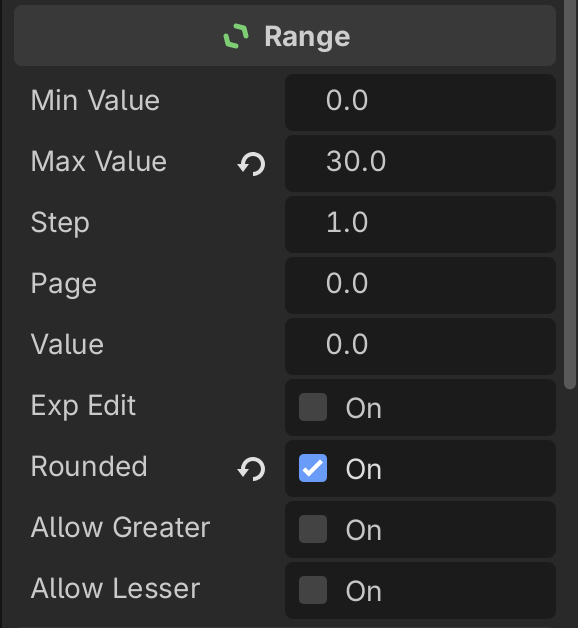
I worked with these values:
- Min value: 0.0
- Max value: 30.0
- Step: 1.0
- Rounded: true
I used the following sprite (144x24) to use as textures:

This sprite had three layers. Over, Under and Progress, each displaying a different, appropriate texture.
What's happening
Okay, let's use these textures and make use of our progress bar!
- Set the textures to the progress bar's appropriate exposed fields
- Adjust the properties to your liking, I'll go with the values mentioned above.
- Set the value to half of your max value.
- See the problem.
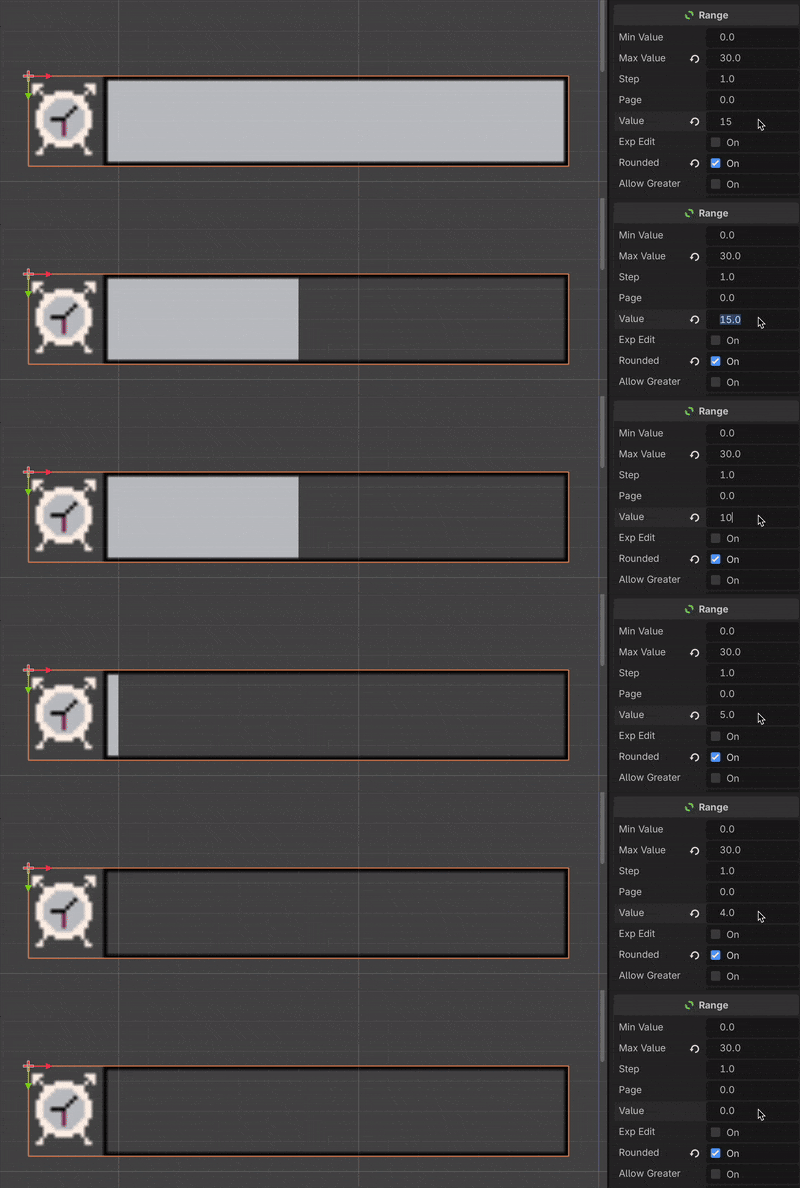
The progress is actually less than half of our bar, even though our value is half.
Small demonstration, notice how the progress bar is below half when we're at 15.0, and seems empty when we're at 4.0, when we'd expect that to be the case at 0.0 instead.
Solution
This is actually caused by the sprites' size and padding. I learned that Godot requires the textures for "Progress" and "Under" to be exactly the amount of pixels of the sprite itself. In contrary, my sprite has some space on the left, which is due to the "Over" layer.

To solve this, it's quite simple. Create separate sprites for each texture layer, ensure there is no padding for the individual textures. Let's demonstrate with the Progress texture.
Let's adjust my sprite as an example.
- Create a new sprite
- Set the dimensions
- Fill up with the texture you want
- Export and use

With this exported, we import it into Godot and use it as our progress texture.
Important: Make sure to adjust the "Progress offset" property as the progress texture may not align properly otherwise.
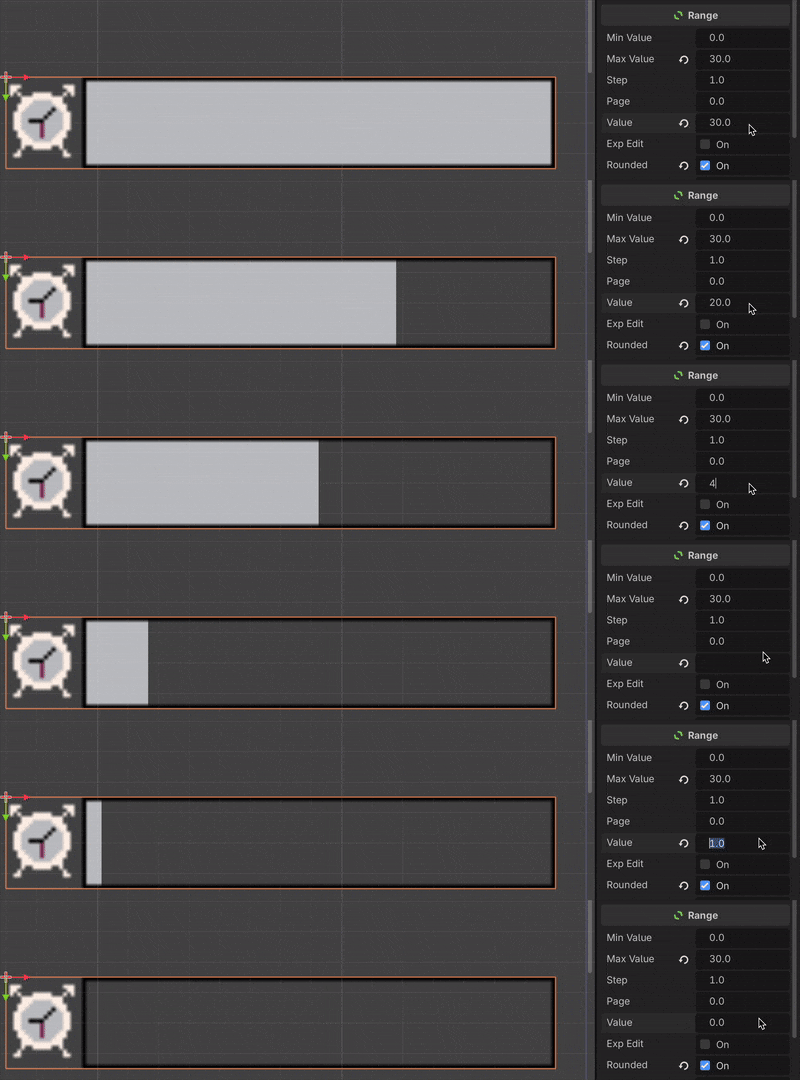
With that, the problem is resolved! Lesson for the future when creating a custom progress bar, always make sure there is no padding for the individual textures.
Thanks for reading! ❤️
I want to read more!
It'd be my honor.
- Development of "I need to go": The smooth, the tough, and the ugly.
- About me and Problem 18: Explanation of me and Problem 18!
Was this helpful? I'd appreciate any feedback! Want to share this? Feel free!
Found a better solution? I'd love to hear about it on X or Bluesky.