Godot Script Button Feature

I discovered a neat little feature in Godot 4.6 (and probably earlier versions). Through a simple toggle, the editor will show a script button next to a scene's title.
Take a look at how to enable it and what it does!
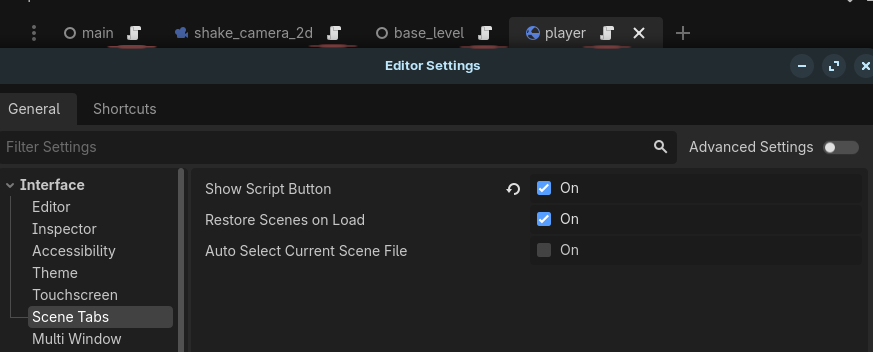
Functionality
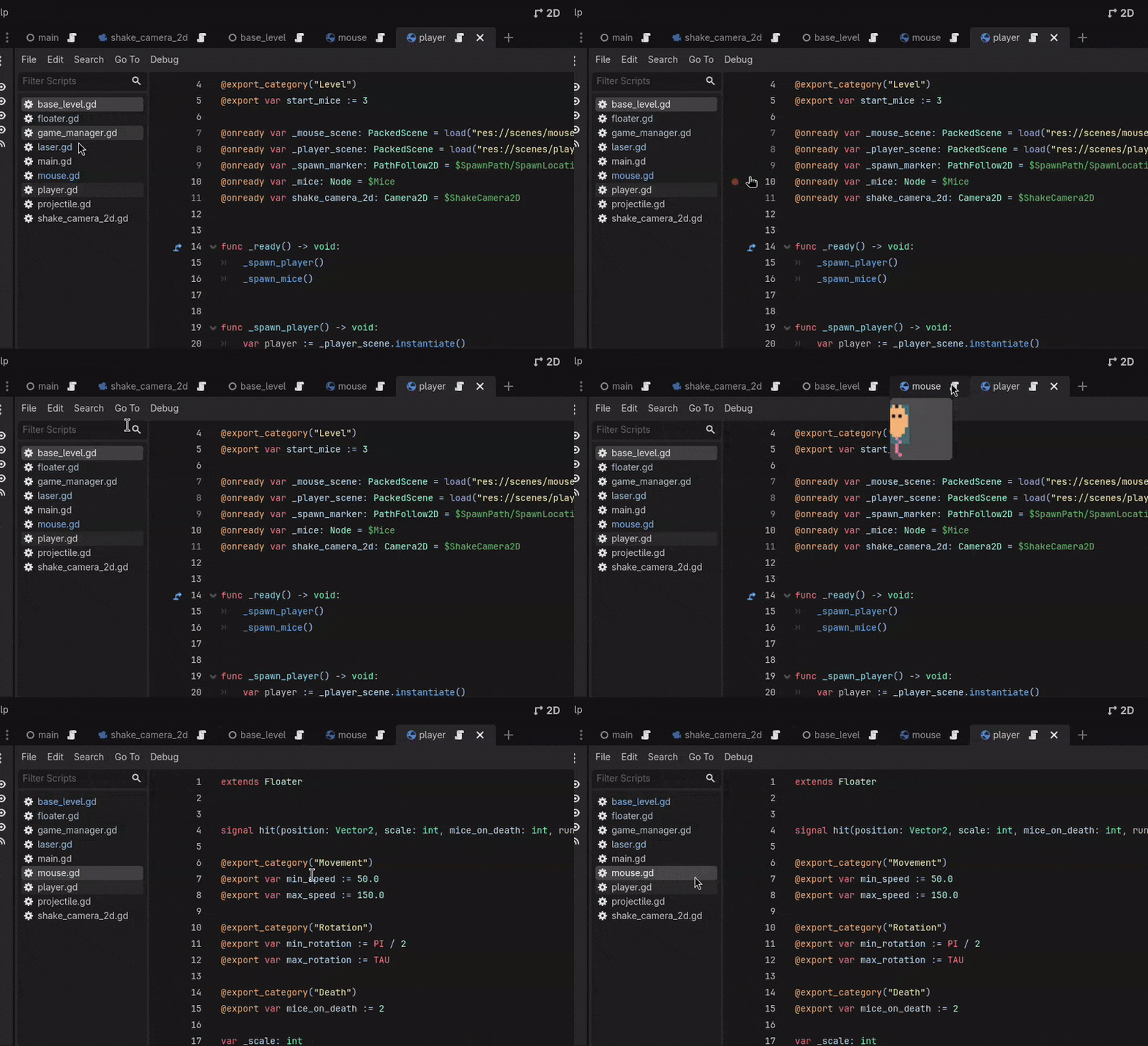
Toggling this feature on displays a script button next to the title of a scene's tab. Pressing this button immediately opens up the script of said scene. This is useful as the project increasingly has more scripts, and more tabs, and more everything open on the screen.

Why is that useful?
Well, it's a personal preference.
For me, it's very useful because I tend to get lost between the 2D/Script/Game screens of the Godot Editor, and then also twice as lost if I have a lot of scripts and scenes open.
Now, if I want to open a scene's specific script without looking for it all over the screen, I know exactly where to look. At least if the scene's opened, of course.
How to enable it
- Go to Editor Settings.
- Proceed to Scene Tabs.
- Toggle the "Show Script Button".
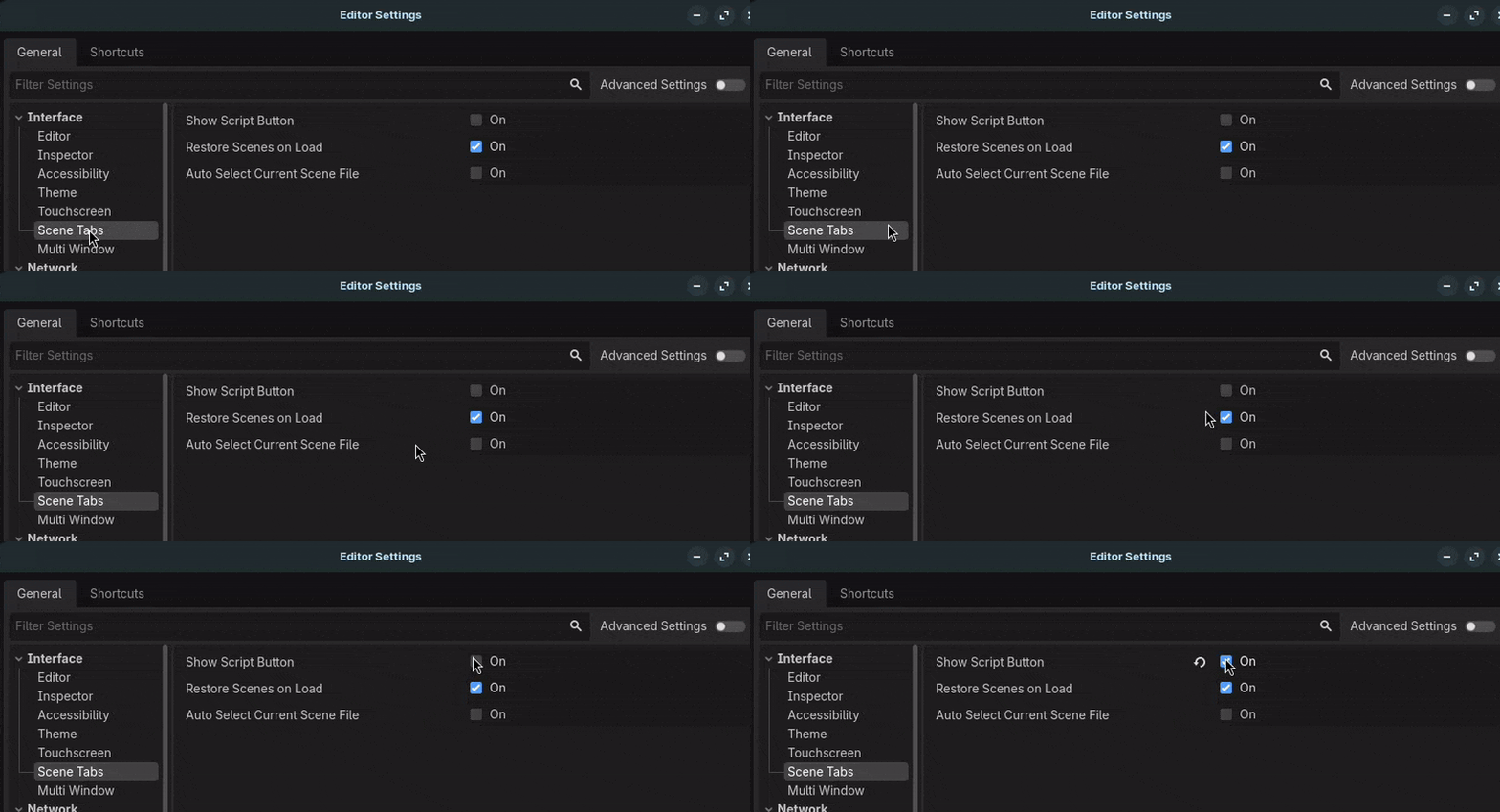
All done!
Conclusion
Now you can quickly open a scene's script without having to look for it all over the screen, especially if you have a lot of scripts and scenes open.
Try it out and let me know what you think!
Thanks for reading! ❤️
I want to read more!
It'd be my honor.
- TextureProgressBar padding issues: Tutorial to fix a TextureProgressBar padding issue.
- About me and Problem 18: Explanation of me and Problem 18!
Feel free to share this if you found it useful!
Found more neat tricks inside the Godot Editor? I'd love to hear about it on X or Bluesky.